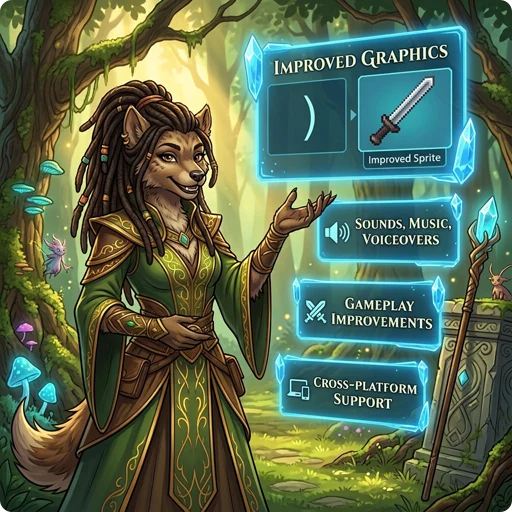
👉 GnollHack adds graphics, sound, voiceovers, a new spell system, more equipment, and modern controls to NetHack, and changes many of its rules.
🖥️ Graphics
- Large 64x96 tiles, with several tile layers on one square and monsters that span multiple squares, up to 192x192 pixels in size.
- Over 23,000 tiles, all drawn by real artists specifically for GnollHack.
See Improved Graphical Interface.
🎬 Animations
- All characters have attack and kick animations, and spellcasters also have spell casting animations.
- Spell effects, explosions, rays, and traps are animated.
See Animations.
🔊 Sound
- Over 1,100 game sounds powered by FMOD and an internal sound set system, with spatial sound that depends on distance and obstacles.
🎵 Music
- A soundtrack of 37 music tracks that changes with the dungeon branch, special level, and situation. 14 of the tracks were composed specifically for GnollHack.
See Music.
🗣️ Voiceovers
- 96 voice actors in 111 roles voice the game's characters and events.
- Over 5,000 recorded voiceover lines.
See Voiceovers.
🔮 Magic and Spells
- Spells are prepared with Mix (
Shift+x) from material components, called reagents. Each preparation gives a set number of castings, and spells are never forgotten. - Over 200 spells in 12 spell schools and 14 spell levels, from minor cantrips to level 12.
See Spells and Spell Casting.
🎒 Items and Equipment
- Ordinary equipment can appear with mythic or legendary properties, and weapons come in quality tiers from exceptional to celestial, primordial, and infernal.
- Wear a robe over your body armor, and equip bracers and up to five miscellaneous items.
- Every common item action is available directly from the inventory, and Examine (
Alt+x) shows an item's exact statistics.
See Items, Artifacts, Mythic and Legendary Items, and Exceptional, Elite, Celestial, Primordial, and Infernal Items.
⚔️ Combat and Skills
- NetHack's weapon skills are merged into 12 weapon skills, which can be raised as high as Grand Master and increase your chance of critical hits.
- Launchers add their own damage to the missiles they fire, swapping between two weapon sets does not take a turn, and you can dual-wield artifacts and weapon-shields.
See Skills and Changing Between Two Sets of Weapon and Shield.
👹 Monsters and Pets
- Monsters often appear as encounters whose overall difficulty fits the dungeon level and your experience level.
- Chat with non-player characters: shopkeepers identify items, priests heal you and cure sickness, and some peaceful monsters can be hired to join your party.
- Pets find their way to you with the same pathfinding as the travel command, and their hit points are shown on the status lines.
See Monsters and Understanding Pets and Hirelings.
🌟 Progression and Game Modes
- Reach up to experience level 50, with a much faster experience curve than in NetHack.
- The titular Gnoll replaces the gnome as a playable race.
- Seven difficulty levels from Standard to Grand Master, and a choice of gameplay modes.
See Races, Character Classes, and Difficulty Levels.
🤖 AI Advisor
- The Gnoll Overseer is a free, optional in-game AI advisor that uses frontier AI models together with GnollHack's game data, source code, and wikis.
- When you open it during play, the Overseer reads your current stats, inventory, and surroundings to give spoiler-aware tactical advice. It stays out of the way if you prefer playing unaided.
- Model accuracy, speed, and reliability are evaluated continuously with GnollBench, the Gnoll Overseer's own multi-provider benchmark.
🎮 Steam Deck and Game Controllers
- Play the whole game with the Steam Deck's built-in controls, starting from version 3.32, or with a game controller on Windows, Linux, and macOS.
- Radial menus put every command within reach, and a strip of button hints at the bottom of the screen always shows what each button does.
- The controller also works in menus, settings, the in-app wiki, and the Gnoll Overseer chat.
- Xbox controllers work on all three desktop platforms, and PlayStation controllers are also supported on macOS.
See Steam Deck and Controller Support.
💻 Platform Support (Modern Graphical UI)
- Android
- iOS
- Linux (including the Steam Deck)
- macOS
- Windows
Game controllers are supported on the Steam Deck, Linux, macOS, and Windows. See Steam Deck Controls.
🖱️ Desktop and Technology
- Desktop Features — Features that appear only on the desktop versions of GnollHack
- Technological Features — GnollHack from the development technology perspective
📖 More Information
- See Detailed Features for a complete reference of the gameplay changes GnollHack makes to NetHack.
- You may also want to read about How GnollHack differs from NetHack.